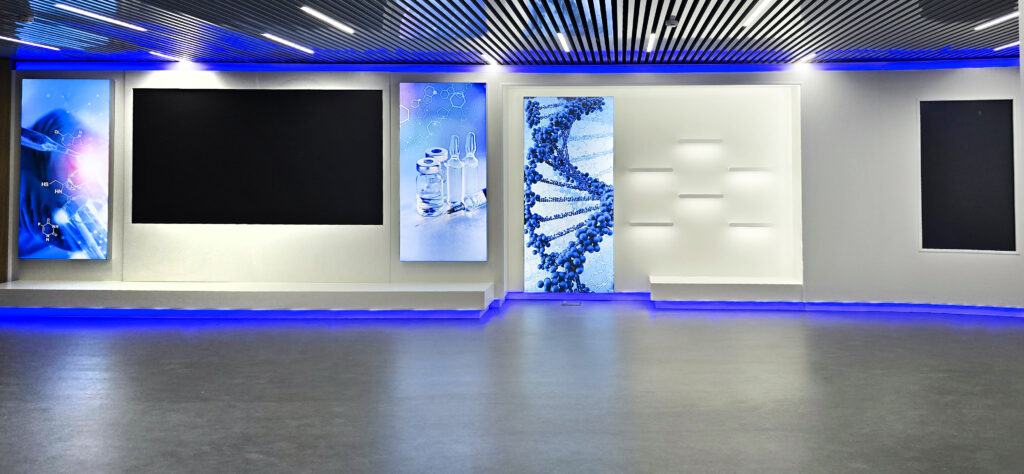
An interactive museum is built on solutions where the visitor acts and the exhibition responds: 32-65 inch touch panels, touch tables, projections and 3D mapping, LED screens, interactive models, sound and audio guides. The choice depends on the visit scenario, the age of the guests and the flow of people. Content and maintenance need no less attention than the hardware itself.
What counts as interactive in a museum
An element counts as interactive when it has an input and a response. The input is a touch, a gesture, a moved object, a voice or a request from a phone, and the response is a changed image, sound or light. A screen that loops a video is not interactive, however modern it looks.
A visitor should see the link between their action and the result within a second or two, otherwise they decide that the panel is broken. Interactivity is needed where a caption is not enough: a complex process, a large archive, a children's audience, details that will not fit on a wall. Where a photograph and three lines of text are enough, an extra screen only gets in the way.
Which technologies museums use
Touch panels and kiosks
A 32-65 inch touch panel on vandal-resistant glass works as an information point: a catalog, a map of the hall, a photo archive, 3D models of objects. It is designed for one or two people. The interface is made in Uzbek, Russian and English, and the screen height and the free space beside it are planned so that one visitor does not block the others.
The menu on a panel is kept shallow: two or three touches are enough to get from the start screen to the needed material. If the path is longer, the visitor gets lost and leaves without reaching the content. Large buttons, clear icons and a return to the start screen with one button make a panel understandable from the first touch.
Touch tables
Touch table lays content out on a horizontal surface around which several people fit at once. This format suits families, school groups and showrooms. The height and shape of the tabletop are chosen so that both a child and an adult can use the table, and room is left around it for others to pass.
Projections, 3D mapping and LED screens
Front projection is built onto a screen or a wall, and mapping lays dynamic content onto a model, a relief or a display case. Projectors start at 5000 ANSI lumens so that the picture stays readable under the working lighting of the hall. An LED screen is chosen by pixel pitch: the closer the viewers, the finer the pitch, and the rule of thumb is that the minimum viewing distance in meters is roughly equal to the pitch in millimeters.
Models, TES, sound and AR
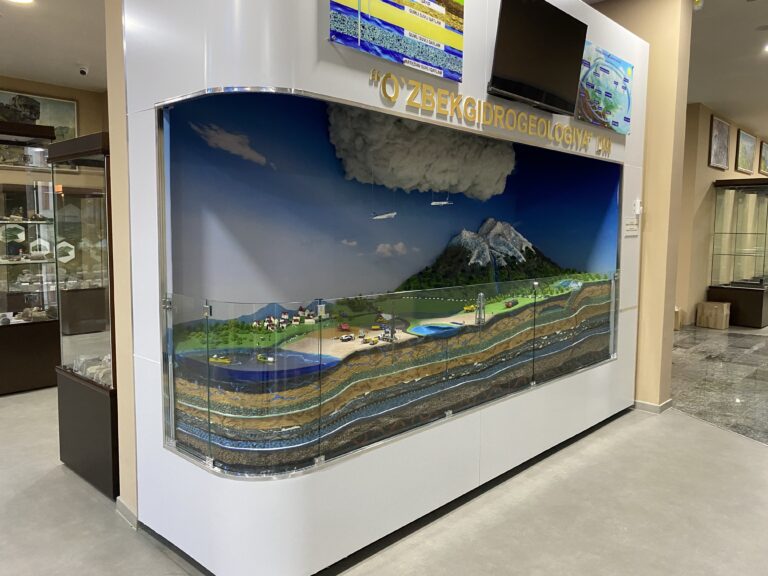
An interactive model responds with lighting and projection when a button is pressed or an area is touched. TES (Tangible Engine System) links digital content with physical objects and touch surfaces: the visitor moves an object, and the content responds to that action. Zoned sound with directional speakers keeps the soundtracks of neighboring halls from overlapping, and an audio guide via a QR code on the guest's phone leads along the route without handing out devices.
Augmented reality (AR) on a phone is used selectively: to show a lost fragment of an object or to complete a building on the site of ruins. It cannot replace an exhibition, because it requires the visitor to have a phone, a charge and the wish to take it out.
Technologies, tasks and parameters
The table lists solutions with parameter benchmarks, and the exact values are chosen for the hall after measurements.
| Technology | For which task | Parameters |
|---|---|---|
| Touch panel, kiosk | Reference, catalog, archive for one or two visitors | Diagonal 32-65 inches, vandal-resistant glass, interface in 3 languages |
| Touch table | Group work, families, school groups | Diagonal from 43 inches, 3-6 people at the table |
| Projection onto a screen or wall | Dynamic content on a large surface | From 5000 ANSI lumens under working hall lighting |
| 3D mapping | Bringing a model, a relief, a display case or a 3D form to life | Projectors from 5000 ANSI lumens, calibration to the shape of the object |
| LED screen | Information at a distance, a video wall, a stage | Pixel pitch P1.5-P4, distance in meters roughly equal to the pitch in mm |
| TES | Actions with physical objects on a touch surface | A surface and a set of objects, an interface in 3 languages |
| QR audio guide | A route through the halls without issuing devices | A QR code at every point, a recording of 1-3 minutes, 3 languages |
| Zoned sound | Sound without overlapping soundtracks | Directional speakers, 1 zone per hall or exhibit |
Technologies are combined within one hall. A touch table in the center gathers a group, a projection onto a model shows scale, a QR audio guide leads between points, and a touch panel at the exit holds a reference archive. Each point solves its own task, and the visitor does not tire of the same gesture.
How to choose by scenario, age and visitor flow
Start with the scenario: what the visitor should do and learn at a point within a minute. If the answer sounds like 'watch a video', interactivity is not needed. If it sounds like 'find your own name in a list' or 'compare two periods', a panel or a table is needed.
Next comes age. For children the screen is placed lower, elements are large and gestures simple. Older guests need large type, slow animations and a visible 'back' button. For foreign guests the interface language matters, and the language switch sits on the first screen.
The flow determines the number of points. A touch panel serves one or two people, and if a queue forms at peak hour, a second one is added or the details are moved to a QR code on the phone. Projection and LED screens work for a crowd, and a touch table for a group of several people.
Light and placement affect the result more than the screen model. A panel opposite a window produces glare, and the text can be read only in the evening. A projector needs a brightness margin for the working lighting of the hall, and an LED screen needs a distance that matches its pixel pitch. These parameters are calculated from the hall plan before the equipment is ordered and are not chosen on site.
Content as a separate job
A screen without content is empty. Content includes scenarios, texts in three languages, filming, 3D models, animation, voice-over and the interface itself. It takes as long as producing and installing the equipment and starts in parallel with it. The place of this work in the overall order is shown in the article on how to create a museum.
Texts and voice-over are prepared in Russian, Uzbek and English at the same time. The length of a translation differs from the original, and the interface leaves extra room in buttons and headings so that a long phrase does not break the layout. One narrator is chosen for the whole museum, so that the voice sounds consistent in every hall.
The material is built in two layers: a short one for a quick look and a detailed one for those who linger. A prototype is shown to visitors before opening, because staff already know where everything is and do not notice dead ends. Content is made editable: a museum employee changes the texts without calling a developer.
Operation, maintenance, vandal resistance and spare parts
Museum equipment works all day, every day of opening, and the schedule is set from the start: switching on and off by a timer, a restart by instruction, and sleep mode disabled overnight only where it is needed. Panels and tables are covered with vandal-resistant glass, fixings are hidden inside, cables run through channels and power supplies sit behind a lockable door.
Projectors and LED modules have a service life, and replacement is built into the maintenance schedule. It is better to keep spare LED modules, a power supply and a light source for the projector in the museum's storeroom so that a replacement takes hours rather than weeks of waiting for delivery. Screens are wiped on a schedule and fixings are checked once a quarter.
Museum staff receive short instructions: how to switch the hall on, how to restart a panel and where to write in case of a fault. If the technology depends on one person, the museum runs without half the exhibition when that person goes on leave.
When technology is installed for its own sake
The problems of interactive museums show up a month after opening, when the novelty has passed and only the everyday work of the equipment remains. These are the cases met most often.
- A screen is placed where a caption would be enough, and the visitor walks past.
- A projector is chosen without a brightness margin, and the picture washes out under the working lighting of the hall.
- Glare is ignored, and a panel opposite a window can be read only in the evening.
- The interface is complicated, and the visitor gives up on the second screen.
- The budget goes to hardware, and content and spare parts are forgotten.
- One technology is chosen for the whole museum, and the exhibition stops surprising by the third hall.
Aesthetic Pro selects and installs touch panels, touch tables, projections, 3D mapping, LED screens and TES solutions in Tashkent for your scenario and hall. You can join at any stage, we prepare a quote after clarifying the requirements, and the details are on the interactive museum.
Frequently asked questions
What is an interactive museum?
A museum where the visitor controls the content: by touching a panel or a table, moving an object or using a QR code on a phone, and the exhibition responds by changing the image, sound or light. A video on a screen without control is not counted as interactive.
What size of touch panel should a museum choose?
For an information point for one or two people, 32-43 inches is taken, and for a shared panel at the entrance or a map of the hall, 55-65 inches. The final size depends on the distance to the visitor and the light in the hall.
What projector is needed for 3D mapping in a museum?
For a hall with working lighting, projectors from 5000 ANSI lumens are taken. In a darkened hall the brightness can be lower, but a margin is kept because the light source dims over time.
How is a touch table different from a touch panel?
One or two people stand at a wall panel, while a group of 3-6 people gathers around a touch table . A table suits families and school groups, and a panel suits reference and search.
How long does preparing content for interactive displays take?
As long as producing and installing the equipment: from 4 to 10 weeks for a compact exhibition and a hall with multimedia. Content preparation starts in parallel with design.
Do interactive exhibits need vandal protection?
Yes, if school groups and children use the exhibit. Panels and tables are covered with vandal-resistant glass, the fixings are hidden inside and the power supply is placed behind a lockable door.
Related services
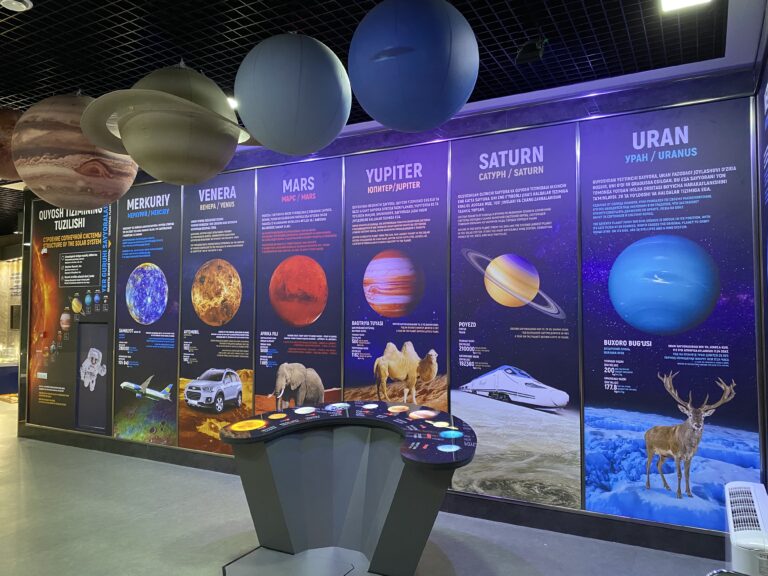
Interactive museum
Touch panels, projection, mapping and touch tables for a living exhibition.
Touch panels
Touch panels with catalogs, reference information, routes and educational materials for visitors.
3D projection mapping
3D projection mapping for artistic scenes, brand presentations and historical stories.